Free Gmail Cleanup Automation Using JavaScript in Chrome Console
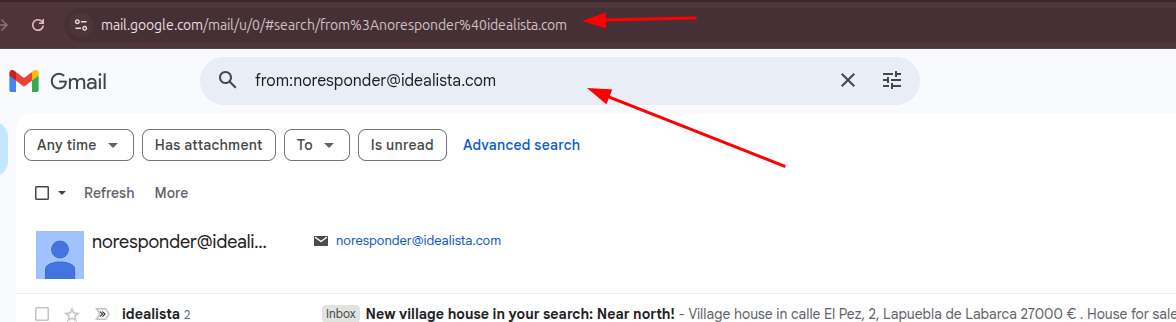
Nothing was installed.
No browser automation tools were used.
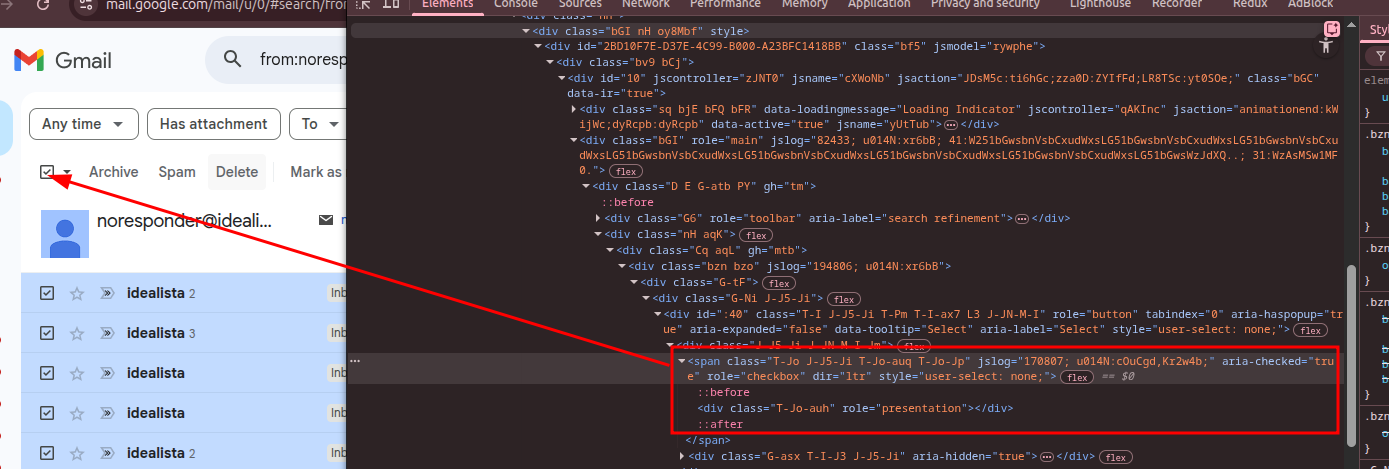
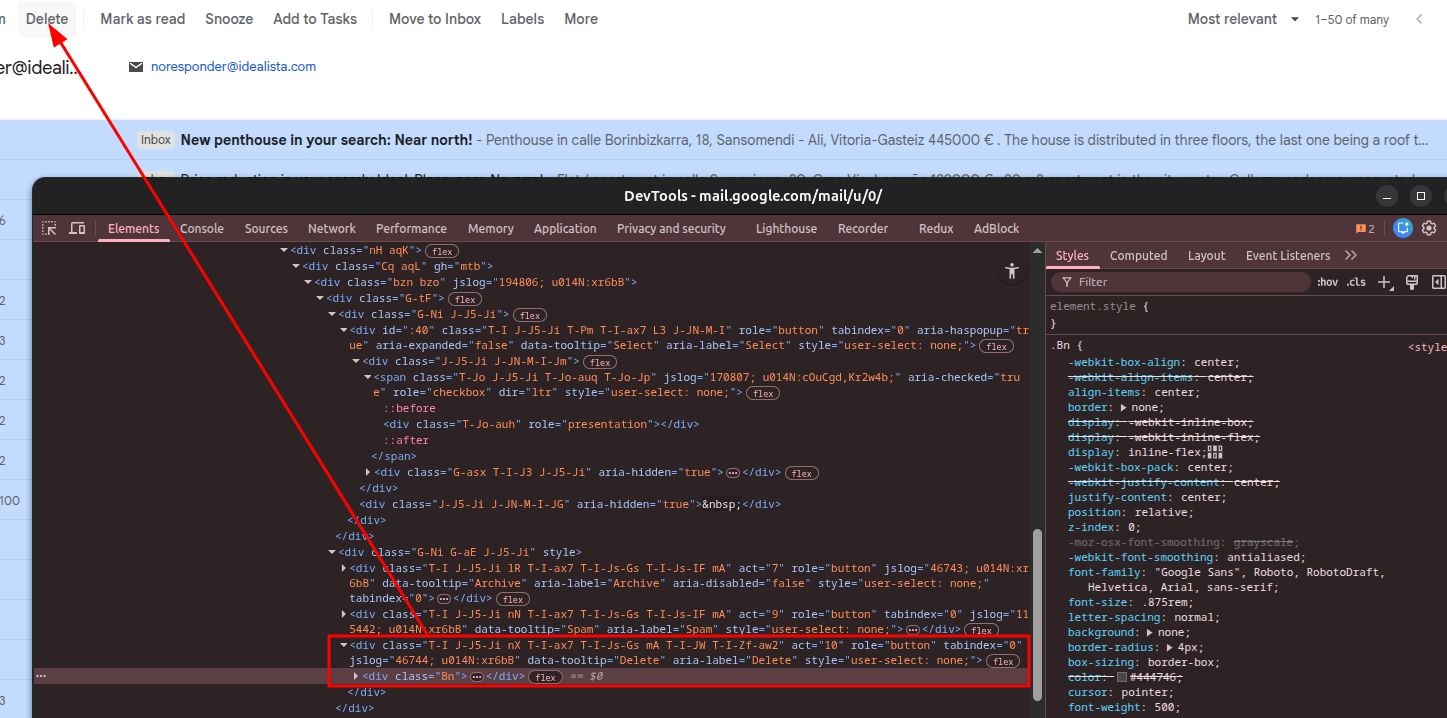
After inspecting Gmail and seeing that its class names change per session, the approach relied on that understanding.
Everything was done directly through the browser console using JavaScript.
This is a one-session cleanup trick that runs only in your open Gmail tab.
async function gmailCleanerLoop(maxLoops = 10, delayMs = 2500) {
  for (let i = 0; i < maxLoops; i++) {
    console.log(`\n--- Loop ${i + 1} ---`);

    // STEP 1 — Select emails
    const boxes = document.querySelectorAll('.T-Jo.J-J5-Ji.T-Jo-auq');
    boxes.forEach(el => el.click());

    console.log(`Selected ${boxes.length} emails`);

    // If nothing to select, stop
    if (boxes.length === 0) {
      console.log("No more emails found. Stopping.");
      break;
    }

    await new Promise(r => setTimeout(r, 1200));

    // STEP 2 — Click Delete button
    const btn =
      document.querySelector('div[role="button"][aria-label="Delete"]') ||
      document.querySelector('div[role="button"][data-tooltip="Delete"]');

    if (!btn) {
      console.log("Delete button not found. Stopping.");
      break;
    }

    ['mousedown','mouseup','click'].forEach(type =>
      btn.dispatchEvent(new MouseEvent(type, { bubbles: true, cancelable: true, view: window }))
    );

    console.log("Delete triggered.");

    // Wait for Gmail to refresh list
    await new Promise(r => setTimeout(r, delayMs));
  }

  console.log("\nFinished loop.");
}

gmailCleanerLoop(300, 4000); // (loops, delay)